
Your wallets
What an Invictus wallet is, who holds its key, how to add, rename and export wallets, and how to link a wallet you already use.
A wallet is an address on a blockchain that holds tokens, plus the secret key that can move them. Whoever has the key controls the funds. This page explains which wallets Invictus gives you, who holds their keys, and what you can do with them.
Who holds the key
Invictus never sees, stores or uses your keys. Your wallets are embedded wallets created by Privy, a wallet provider: the key is generated and protected inside Privy’s secure system, and it is only ever used when you confirm a transaction. Invictus prepares transactions, checks them and asks you to sign; it cannot sign for you.
Two families of address
Blockchains come in families that share an address format.
| Family | Chains | Address looks like |
|---|---|---|
| EVM | Ethereum, Base, Robinhood Chain, BNB Smart Chain, Arc, HyperEVM | 0x followed by 40 characters |
| Solana | Solana | 32 to 44 letters and digits, no 0x |
Each Invictus wallet belongs to one family. Your first wallet, Main wallet, is an EVM wallet. To use Solana, create a Solana wallet as shown in Add more wallets.
An EVM wallet has the same address on all six EVM chains, but the tokens on each chain are separate: USDC on Base is not USDC on Ethereum, even at the same address.
The Wallets tab
Open Portfolio, then Wallets. Each wallet is a card with its balance, its tokens by chain and a row of actions.
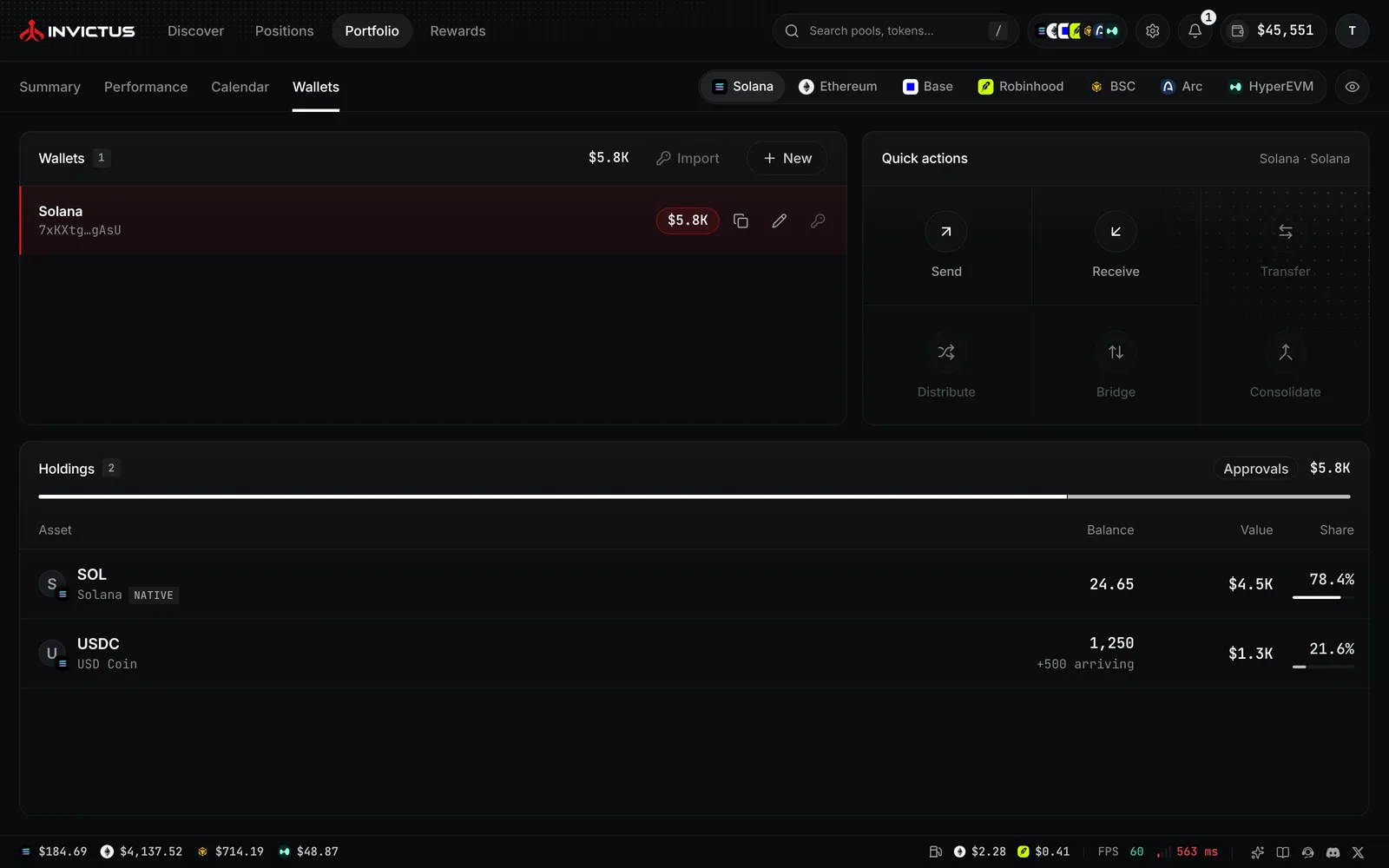
| Action | What it does | Available |
|---|---|---|
| Receive | Shows the wallet’s address for a chain, with a QR code to scan. | Yes |
| Send | Sends a token to any address on the same chain. | Yes |
| Transfer | Moves a token to another of your own wallets. | Yes |
| Distribute | Splits an amount across several of your wallets. | Coming soon |
| Bridge | Moves a token to another chain. | Coming soon |
| Consolidate | Gathers one wallet’s tokens into another. | Coming soon |
Tokens are tagged Native (issued on that chain) or Bridged (a copy brought over from another chain). Wallets you linked from outside are tagged Linked.
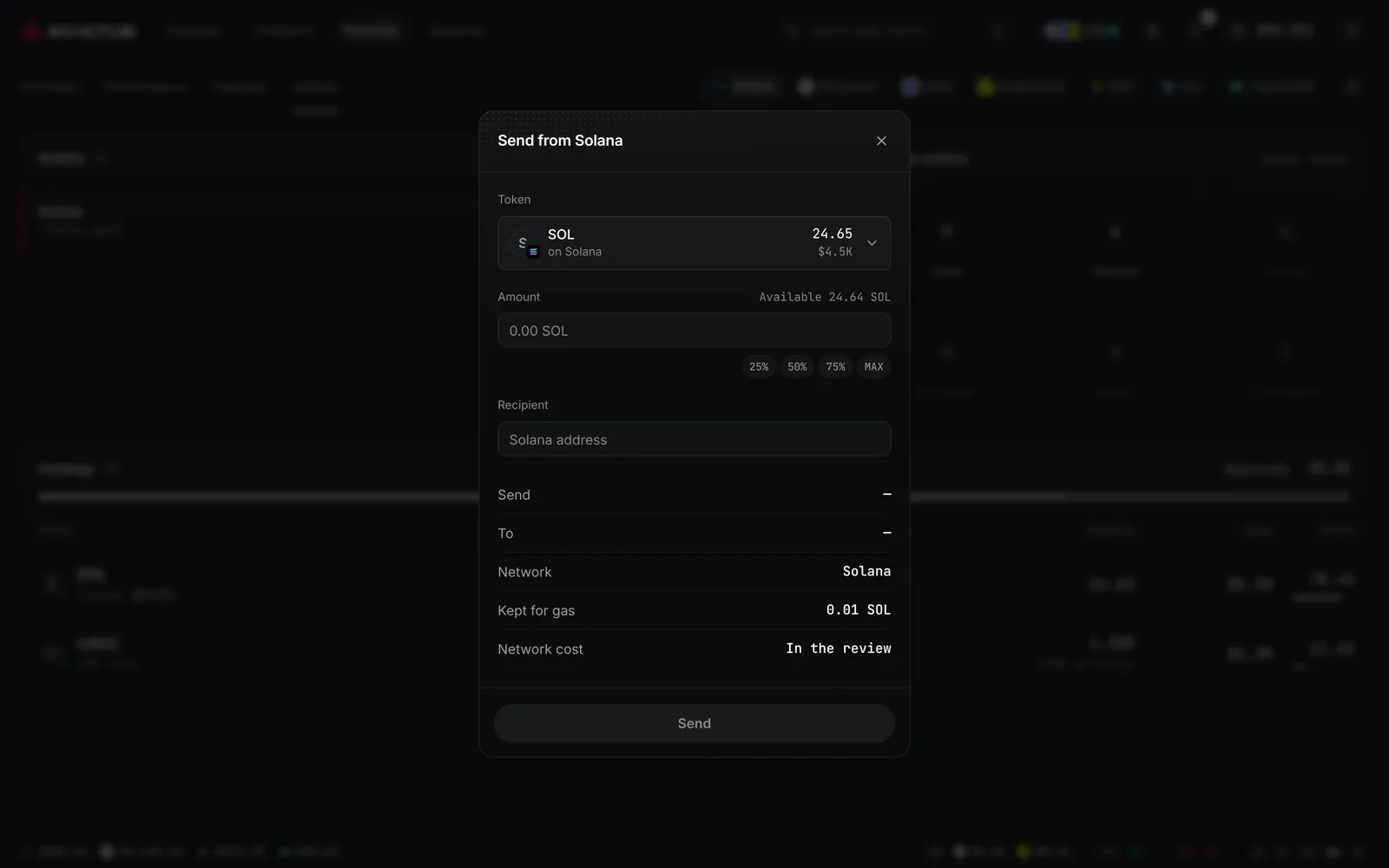
When you send, Invictus keeps back enough of the gas token for your next transaction (see Gas reserve in Settings) and shows the network cost before you confirm.
Add more wallets
Press New wallet and choose EVM wallet or Solana wallet. You can hold up to 5 wallets of each family. Separate wallets are useful to keep strategies apart, for example one wallet for stable pairs and one for riskier tokens.
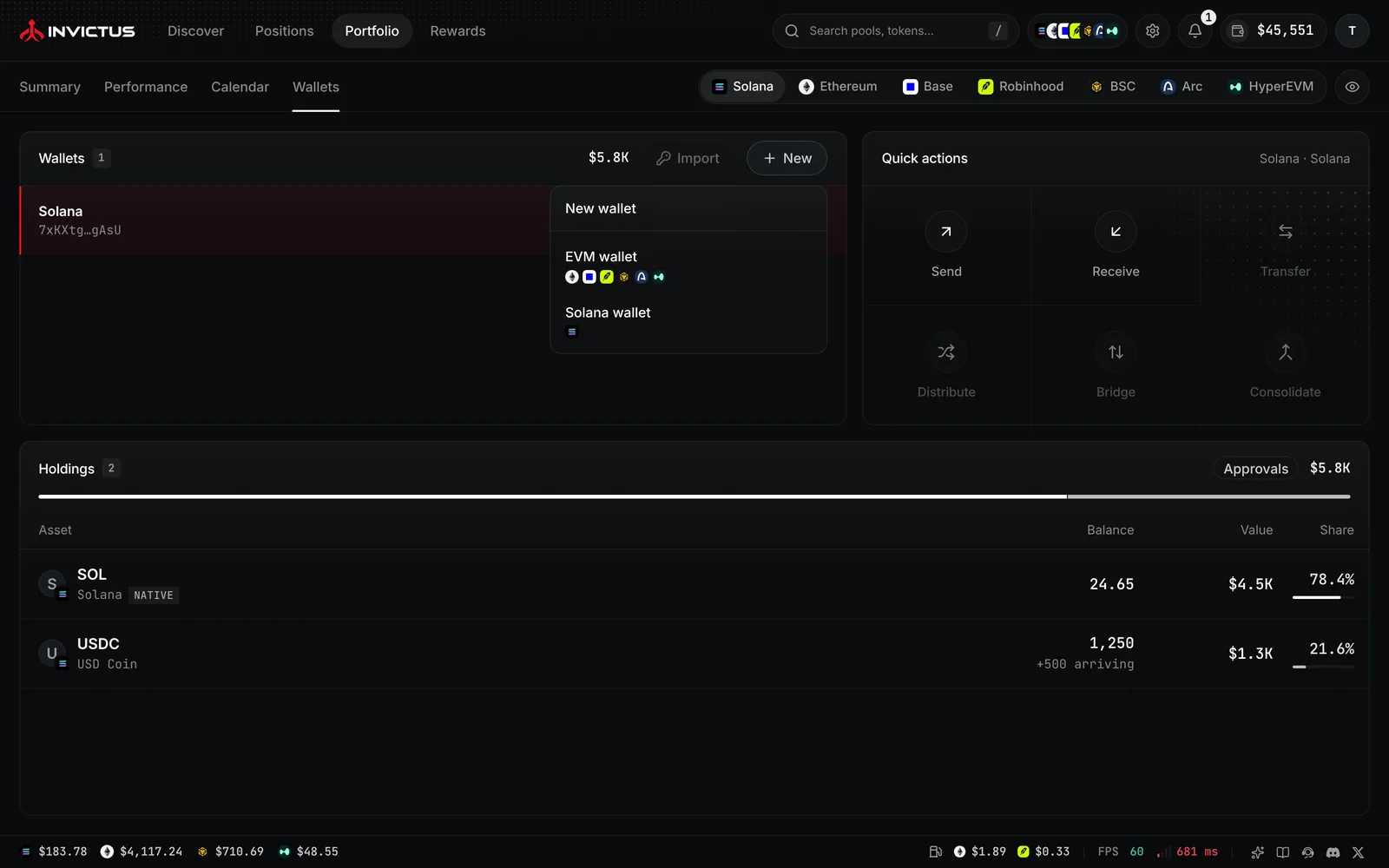
Use Rename wallet to give each one a name you will recognise. Names are only labels; they never change the address.
Export a key
Use the key icon on a wallet card to export its key.
Confirm it is you
Invictus asks you to sign a short message with that wallet, called a step-up. It proves the request comes from you, costs nothing and moves no funds.
Read the key in Privy's window
The key is shown in a window served by Privy, not by Invictus. Invictus never receives it.
Store it offline
Write it down or keep it in a password manager. Never paste it into a website, chat or form, and never share it with anyone, including people who say they are Invictus support. Invictus will never ask for it.
If you turned on the Key export alert, you get a notification each time a key is exported.
Check what can spend your tokens
Some protocols ask for an approval: permission for a contract to move a token from your wallet. The Approvals view of a wallet lists every spender, the token and the allowance (a set amount or Unlimited). A spender Invictus cannot identify is marked Unknown spender, and risky ones are marked At risk.
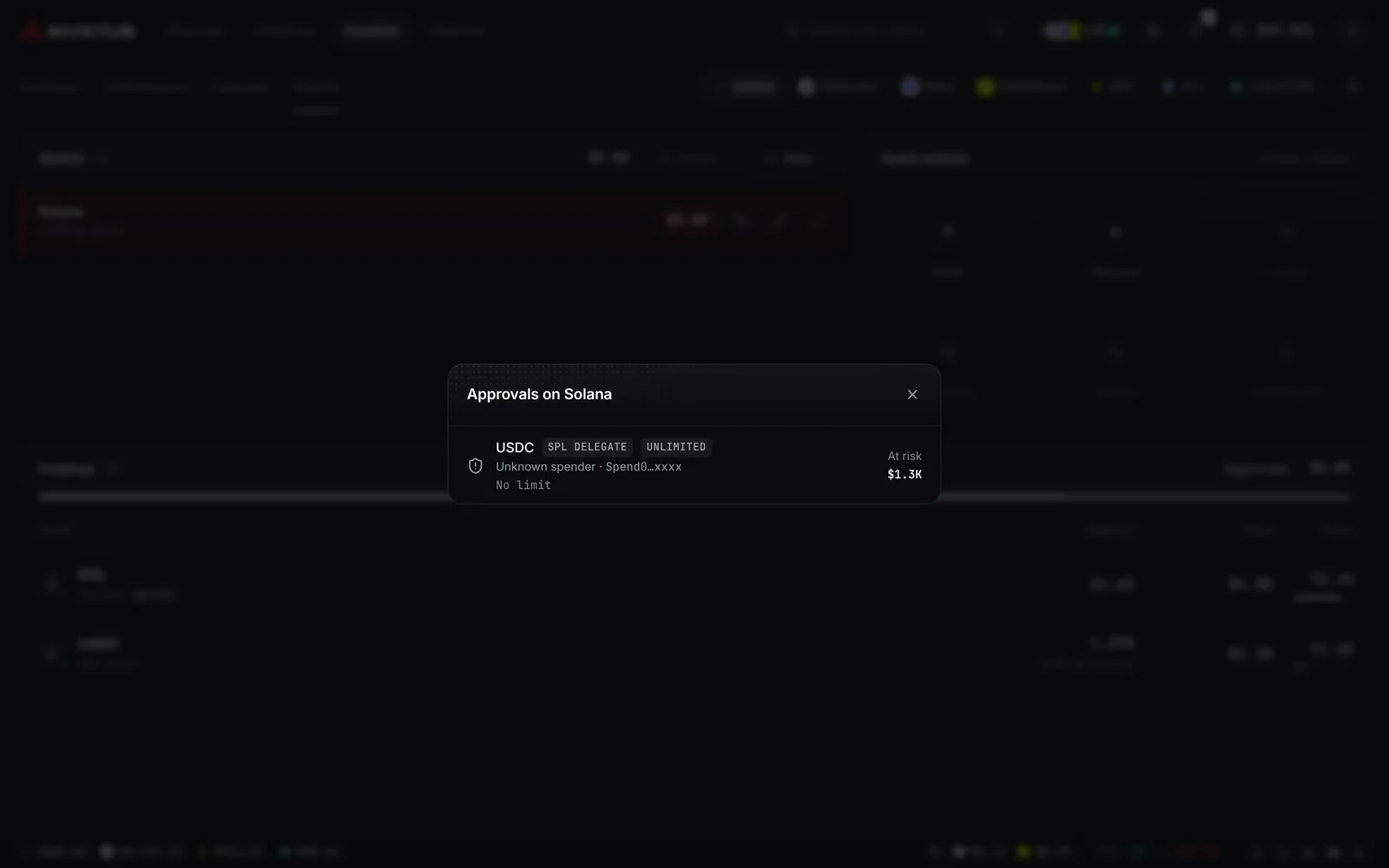
If you see an approval you do not need, remove it. Fewer open approvals mean less exposure if a contract is ever compromised.