
Place limit orders
How to buy or sell at a price or market cap you choose, follow an open order and cancel it.
A limit order waits until the price reaches a target you set, then trades. Use it to buy a dip or take profit without watching the screen.
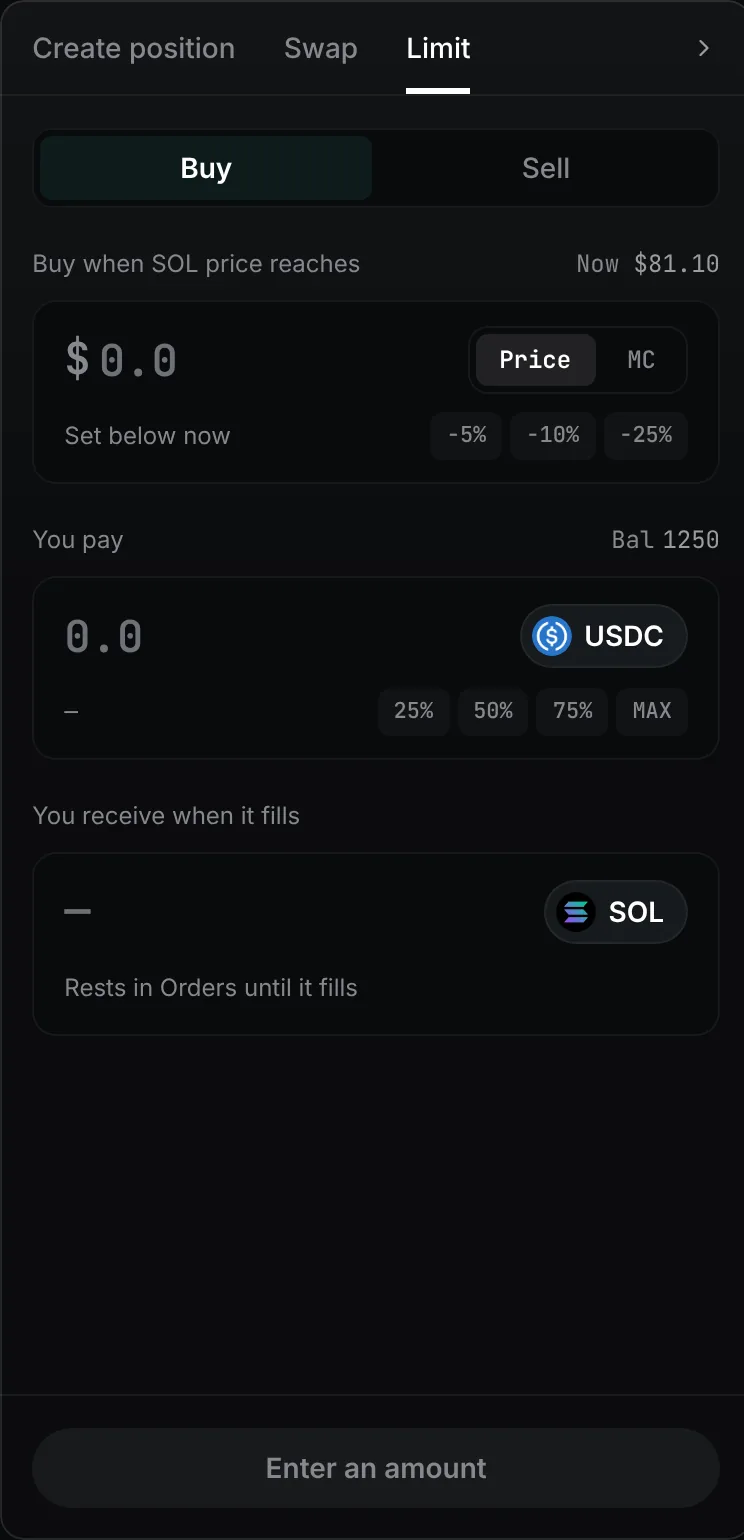
Place an order
Choose Buy or Sell
Buy spends the quote token to get the base token when the price falls to your target. Sell sells the base token when the price rises to it.
Set the target
Choose whether the target is a Price or a market cap (MC), and type it. A buy target must be below the current price, a sell target above it; the panel tells you if it is the wrong way round.
Type the amount
Fill You pay (or You sell). The panel shows what you will receive at the target.
Review and sign
Press the button, read the review and press Confirm and sign. The order rests in Orders until it fills.
Follow and cancel orders
Open Activities, then Orders, on the pool’s workstation. Each order shows its target, how much has filled and its status. Use Cancel to take an order off the book; what it had not spent goes back to your wallet.
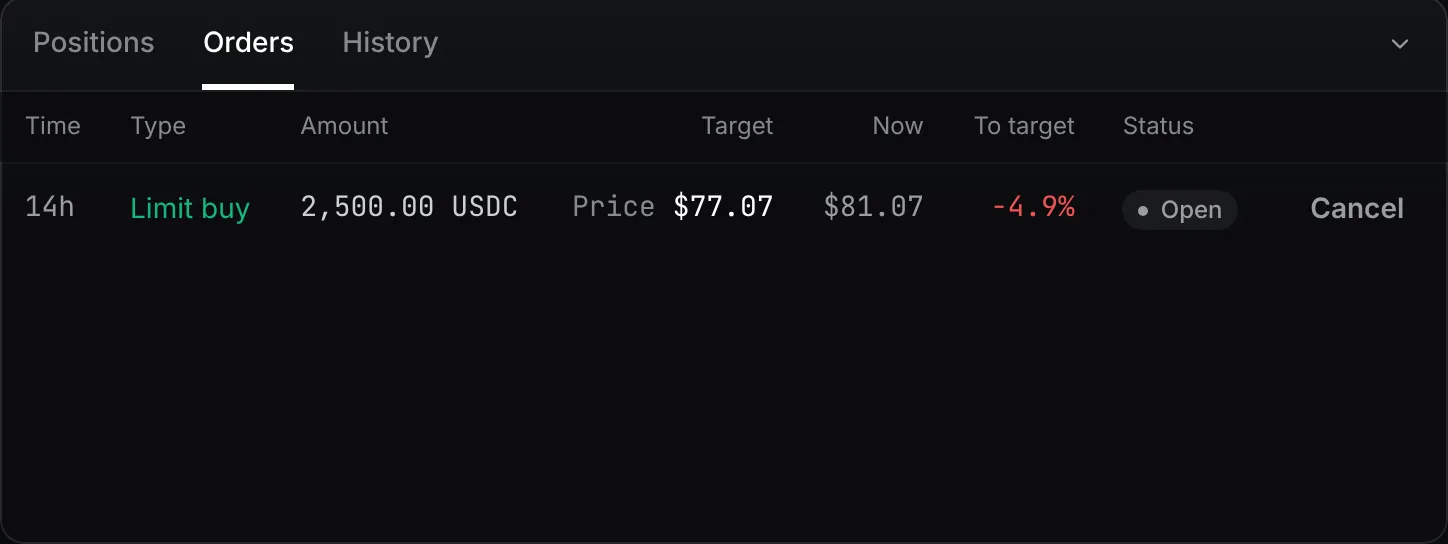
Filled and cancelled orders move to History.